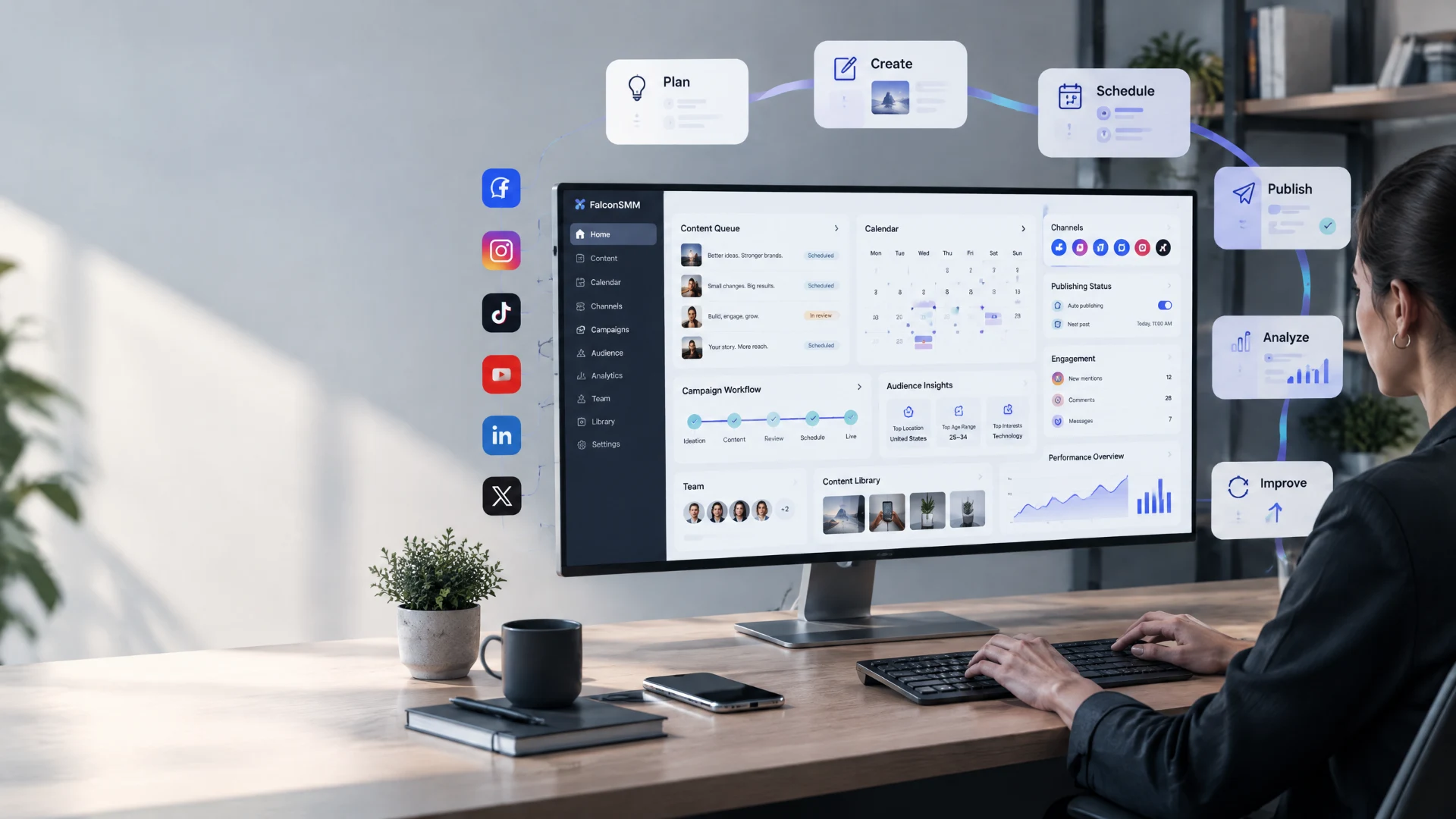
Top Social Media Marketing Automation Tools in 2026
Social media has become one of the most important channels for businesses, creators, freelancers, agencies, and online brands.
Facebook, Instagram, TikTok, YouTube, LinkedIn, X, and other platforms give businesses the opportunity to reach audiences without depending entirely on traditional advertising.
But there is a problem.
Managing social media manually can become extremely time-consuming.
You may need to create content, prepare captions, schedule posts, respond to messages, monitor comments, check analytics, track campaigns, manage multiple accounts, and report results to clients.
Doing all of these tasks separately can quickly become difficult, especially when you're managing several social media accounts at the same time.
This is where social media marketing automation tools can make a major difference.
These tools help marketers automate repetitive tasks, organize content, schedule publications, monitor performance, and manage social media activities from centralized dashboards.
Automation does not mean removing humans from social media.
Instead, the goal is to reduce repetitive work so marketers can spend more time on strategy, creativity, customer relationships, and content quality.
In this guide, we'll explore some of the best social media marketing automation tools in 2026, their key features, their benefits, and how you can use them to build a more efficient social media workflow.
What Is Social Media Marketing Automation?
Social media marketing automation means using software and technology to handle repetitive social media tasks with less manual effort.
Depending on the platform, automation can help with activities such as:
- Scheduling social media posts
- Publishing content
- Managing multiple accounts
- Monitoring mentions
- Tracking engagement
- Collecting analytics
- Creating reports
- Organizing content calendars
- Managing team workflows
- Monitoring conversations
- Planning campaigns
For example, instead of manually publishing one post every morning, you can prepare several posts in advance and schedule them through a social media management platform.
The tool handles the publishing while you focus on other work.
A simple workflow might look like:
Create → Schedule → Publish → Monitor → Analyze → Improve
That's the basic idea behind social media automation.
How Social Media Marketing Has Changed
Social media marketing has changed dramatically over the last decade.
In the early days, businesses mainly used social networks to publish occasional updates and communicate with followers.
Over time, social platforms became much more important to digital marketing.
Today, social media can support:
- Brand awareness
- Lead generation
- Customer support
- Community building
- Product discovery
- E-commerce
- Influencer marketing
- Video marketing
- Content distribution
- Customer relationships
At the same time, the number of platforms and content formats has increased.
A modern marketer may need to manage short-form videos, images, Stories, Reels, long-form videos, text posts, live content, comments, direct messages, and paid campaigns.
Because of this growing complexity, automation and centralized management tools have become increasingly useful.
Why Use Social Media Marketing Automation Tools?
Automation can provide several advantages when used correctly.
1. Save Time
One of the biggest benefits is reducing repetitive manual work.
Instead of logging into each platform separately every time you want to publish something, you can prepare content in advance and schedule it.
This gives marketers more time for:
- Content creation
- Strategy
- Audience research
- Customer support
- Campaign planning
- Business development
2. Maintain a Consistent Posting Schedule
Consistency is important for social media.
That doesn't necessarily mean posting every hour.
It means having a predictable and sustainable publishing routine.
Automation tools make it easier to prepare content ahead of time so your social media accounts don't become inactive simply because you were busy for a few days.
3. Manage Multiple Platforms
Managing Facebook, Instagram, LinkedIn, TikTok, X, and other platforms individually can be inefficient.
Many social media management tools allow marketers to manage multiple channels through one dashboard.
This can be particularly useful for:
- Agencies
- Freelancers
- Marketing teams
- Small businesses
- Personal brands
- Content creators
4. Improve Performance Tracking
Posting content is only part of social media marketing.
You also need to know what happens after publication.
Analytics tools can help you understand:
- Which posts perform best
- Which content receives more engagement
- How your audience responds
- Which platforms generate better results
- How campaigns perform over time
These insights can then be used to improve future content.
5. Reduce Repetitive Work
Many marketing tasks are repetitive.
For example:
Create report → Export data → Check metrics → Prepare summary
Automation can simplify parts of these processes.
The less time you spend on repetitive administrative tasks, the more time you can spend on work that requires actual marketing judgment.
Best Social Media Marketing Automation Tools in 2026
There are many social media management platforms available, and they are not all designed for the same users.
Some focus on scheduling.
Others are built around analytics, collaboration, social listening, visual content planning, or enterprise management.
Here are some of the most useful options to consider in 2026.
1. Hootsuite
Best for: Multi-platform social media management and monitoring
Hootsuite is one of the long-standing names in social media management.
It provides a centralized environment where businesses and marketing teams can manage social media activities across multiple platforms.
Instead of switching between different social networks throughout the day, users can organize important activities from one dashboard.
Key Features
- Social media scheduling
- Content management
- Analytics and reporting
- Social monitoring
- Team collaboration
- Multiple account management
- Campaign organization
Benefits
Hootsuite can be particularly useful for businesses and teams managing several social accounts.
Its centralized approach can reduce the amount of time spent switching between platforms and make it easier to maintain a consistent publishing workflow.
It can also be useful for teams that need structured approval and collaboration processes.
Who Should Use Hootsuite?
Hootsuite may be a good option for:
- Marketing agencies
- Businesses
- Social media teams
- Professional marketers
- Organizations managing multiple accounts
If your workflow requires extensive monitoring and team management, a more comprehensive platform can be useful.
2. Buffer
Best for: Simple social media scheduling and content planning
Buffer is known for its straightforward approach to social media management.
For creators, freelancers, and small businesses, simplicity can be more valuable than having hundreds of complicated features.
Buffer allows users to plan and schedule social content so posts can be prepared ahead of time.
Key Features
- Social media scheduling
- Content planning
- Publishing workflows
- Performance analytics
- Multi-platform management
- Content calendar
- Team collaboration
Benefits
The biggest advantage of a simple scheduling platform is that it can be easy to understand.
You can prepare several posts at once instead of remembering to publish each one manually.
For example, a small business could prepare a week's worth of:
- Facebook posts
- Instagram content
- LinkedIn updates
- Promotional posts
- Educational content
and organize them in advance.
Who Should Use Buffer?
Buffer can be suitable for:
- Individual creators
- Freelancers
- Small businesses
- Personal brands
- Social media managers
If you want a relatively straightforward way to organize publishing, Buffer is worth considering.
3. Sprout Social
Best for: Analytics, engagement, social listening, and professional teams
Sprout Social takes a broader approach to social media management.
Instead of focusing only on publishing, it combines content management with analytics, engagement, monitoring, and other marketing functions.
Key Features
- Social publishing
- Social inbox
- Engagement management
- Analytics
- Reporting
- Social listening
- Team collaboration
- Customer relationship workflows
Benefits
For professional marketing teams, understanding what people are saying can be just as important as publishing content.
Social listening can help businesses monitor conversations, mentions, trends, and discussions related to their brand or industry.
Analytics can then help teams evaluate campaign performance.
This makes the platform useful for organizations that want social media management and deeper data analysis in the same workflow.
Who Should Use Sprout Social?
It may be particularly useful for:
- Medium-sized businesses
- Large businesses
- Marketing departments
- Agencies
- Professional social media teams
4. Zoho Social
Best for: Social media management integrated with a wider business ecosystem
Zoho Social is part of the broader Zoho ecosystem.
For businesses already using other Zoho products, integration can be an important advantage.
The platform supports social media publishing, scheduling, monitoring, and analytics.
Key Features
- Social media scheduling
- Publishing
- Performance analytics
- Monitoring
- Team collaboration
- Social listening
- Integration with other Zoho products
- Content management
Benefits
One major advantage of an integrated ecosystem is that different business processes can work together.
For example, marketing activities can potentially connect with broader customer and business workflows instead of operating as completely separate systems.
This can make Zoho Social interesting for organizations already invested in Zoho's business tools.
Who Should Use Zoho Social?
It can be a good fit for:
- Small businesses
- Growing companies
- Marketing teams
- Businesses using Zoho products
- Agencies managing client accounts
5. Later
Best for: Visual content planning and social media scheduling
Later has traditionally been strongly associated with visual social media planning.
For brands where Instagram, visual content, and short-form media are important, visual planning can make content management easier.
Key Features
- Visual content calendar
- Social media scheduling
- Media organization
- Content planning
- Analytics
- Link-in-bio features
- Team collaboration
Benefits
Visual planning allows marketers to see how their content fits together before everything is published.
This can be useful for maintaining:
- Brand consistency
- Visual identity
- Campaign themes
- Content sequences
- Promotional campaigns
For visually focused brands, seeing content as a complete feed or calendar can make planning easier.
Who Should Use Later?
Later may be useful for:
- Instagram-focused brands
- Creators
- Influencers
- E-commerce businesses
- Visual content teams
- Social media managers
6. SocialPilot
Best for: Agencies, freelancers, and businesses managing multiple social accounts
SocialPilot focuses on social media scheduling, management, analytics, and collaboration.
For agencies and freelancers, the ability to manage multiple clients and accounts can be particularly useful.
Key Features
- Post scheduling
- Content calendar
- Analytics
- Client management
- Team collaboration
- Bulk scheduling
- Social media publishing
Benefits
Bulk scheduling can save significant time when you already have a prepared content library.
Instead of creating each post one at a time, marketers can organize larger batches of content and schedule them according to the campaign calendar.
This can be useful for agencies managing several clients simultaneously.
7. Metricool
Best for: Analytics, planning, and performance monitoring
Metricool is focused heavily on analytics and social media performance.
For marketers who want to understand the numbers behind their content, analytics can be one of the most valuable parts of a social media workflow.
Key Features
- Social media analytics
- Content planning
- Scheduling
- Competitor analysis
- Reporting
- Performance monitoring
- Advertising analytics
Benefits
Analytics help answer important questions.
For example:
Which content format is performing best?
Which platform generates the strongest engagement?
When is the audience most active?
Which campaigns are improving over time?
Instead of making decisions based entirely on assumptions, marketers can use performance data to guide their next steps.
8. Agorapulse
Best for: Social inbox management, scheduling, monitoring, and reporting
Agorapulse combines publishing with engagement and monitoring features.
This can be helpful for businesses that need to manage incoming conversations as well as outgoing content.
Key Features
- Social media scheduling
- Social inbox
- Monitoring
- Reporting
- Team collaboration
- Publishing calendar
- Engagement management
Benefits
Social media isn't only about publishing posts.
Customers may also:
- Ask questions
- Leave comments
- Report problems
- Mention your business
- Request information
A centralized inbox can make these conversations easier to manage.
For businesses where customer interaction is important, this can be a valuable part of the workflow.
9. Sendible
Best for: Agencies and client-focused social media management
Sendible is designed with businesses and agencies in mind.
Managing social media for clients introduces additional requirements beyond normal publishing.
You may need:
- Approval workflows
- Client reporting
- Multiple accounts
- Team collaboration
- Content scheduling
- Brand management
Sendible provides tools aimed at these professional workflows.
Key Features
- Social media scheduling
- Client management
- Reporting
- Analytics
- Team collaboration
- Content calendar
- Multi-account management
Benefits
Agencies can benefit from having client-related tasks organized within a structured environment.
This can reduce confusion when multiple people are working on different social accounts.
10. Planable
Best for: Social media collaboration, approvals, and content planning
Planable is particularly useful when multiple people need to review social media content before publication.
A typical team workflow might involve:
Writer → Designer → Marketing Manager → Client → Approval → Publishing
Without a structured system, this process can become messy.
Planable is designed around collaborative content planning and approval workflows.
Key Features
- Content planning
- Social media calendar
- Team collaboration
- Approval workflows
- Content previews
- Scheduling
- Client feedback
Benefits
For agencies and larger teams, approval systems can prevent mistakes before content goes live.
This is especially important when working with clients or brands that require content to be reviewed by multiple people.
Comparison of Social Media Automation Tools
Different tools are better suited to different workflows.
| Tool | Best For | Scheduling | Analytics | Collaboration |
|---|---|---|---|---|
| Hootsuite | Professional social management | ✓ | ✓ | ✓ |
| Buffer | Simple scheduling | ✓ | ✓ | ✓ |
| Sprout Social | Analytics & social listening | ✓ | ✓ | ✓ |
| Zoho Social | Business ecosystem | ✓ | ✓ | ✓ |
| Later | Visual content | ✓ | ✓ | ✓ |
| SocialPilot | Agencies & bulk scheduling | ✓ | ✓ | ✓ |
| Metricool | Analytics & reporting | ✓ | ✓ | ✓ |
| Agorapulse | Engagement & inbox | ✓ | ✓ | ✓ |
| Sendible | Client management | ✓ | ✓ | ✓ |
| Planable | Content approvals | ✓ | ✓ | ✓ |
This table is only a quick overview.
Before choosing a platform, consider your actual workflow, number of accounts, team size, reporting requirements, budget, and the social networks you need to manage.
How to Choose the Right Automation Tool
Choosing a social media automation tool isn't simply about finding the platform with the largest feature list.
The best tool is the one that solves your actual problems.
Consider Your Number of Accounts
If you manage only one or two accounts, you may not need a large enterprise platform.
A simpler scheduler may be enough.
If you're managing dozens of client accounts, advanced management and collaboration features become more important.
Consider Your Team Size
A solo creator has very different requirements from a marketing agency.
For a solo creator, simplicity may be the priority.
For an agency, you may need:
- Team permissions
- Client approvals
- Shared calendars
- Reporting
- Multiple workspaces
Look at Analytics
Publishing content without measuring the results is like driving without looking at the road.
Analytics can help you understand what's working and what's not.
Look for the metrics that actually matter to your goals.
These may include:
- Reach
- Engagement
- Views
- Clicks
- Follower growth
- Conversions
- Audience activity
Check Supported Platforms
Not every tool supports every social platform in exactly the same way.
Before choosing a service, check whether it supports the networks you actually use.
For example:
- TikTok
- YouTube
- X
Your requirements should determine your choice.
Best Practices for Social Media Automation
Automation can save time, but it should be used carefully.
Here are some practical best practices.
Plan Content in Advance
Instead of creating every post at the last minute, prepare content in batches.
For example, you could spend one day preparing the next week's content.
This makes your publishing workflow much more consistent.
Keep Human Interaction
Automation should handle repetitive tasks.
It shouldn't replace genuine communication.
If someone comments on your post with an important question, an automated response may not be appropriate.
Human interaction is still essential for:
- Customer support
- Community building
- Reputation management
- Relationship building
Review Scheduled Posts
Never assume that scheduled content is automatically perfect.
Review posts before publication.
Check:
- Links
- Images
- Captions
- Dates
- Hashtags
- Mentions
- Promotions
- Platform-specific formatting
A small mistake can become a very public mistake once it gets published.
Don't Post Identical Content Everywhere
A single piece of content can be adapted for multiple platforms.
But copying the exact same post everywhere may not produce the best experience.
For example:
A TikTok video may need a different caption than a LinkedIn post.
An Instagram Reel may require a different presentation than an X post.
Use automation for distribution, but adapt the content for the platform.
Monitor Performance
Automation isn't a set-it-and-forget-it strategy.
Regularly check performance.
Ask:
What worked?
What didn't work?
Which platform performed best?
Which content format generated the most engagement?
Then adjust your strategy.
Common Social Media Automation Mistakes
Automation becomes less effective when marketers use it without strategy.
Over-Automating Everything
If every comment and message receives the same robotic response, your audience may notice.
Automation should support human communication rather than replace it.
Ignoring Current Events
Scheduled posts can become inappropriate if circumstances change.
For example, a promotional post scheduled weeks ago may no longer make sense during a major event.
Always keep an eye on scheduled content.
Focusing Only on Quantity
Posting ten times a day doesn't automatically mean your marketing is successful.
Quality, relevance, audience interest, and consistency matter more than simply increasing the number of posts.
Not Checking Analytics
If you never review your results, you're missing one of the biggest advantages of automation platforms.
Use data to improve your strategy.
How FalconSMM Fits Into a Social Media Marketing Workflow
Automation tools help you organize and manage social media activities.
But social media growth often requires a broader strategy.
For creators, freelancers, agencies, resellers, and businesses, the workflow can look like this:
Research → Create → Schedule → Publish → Promote → Engage → Analyze → Improve
FalconSMM can fit into the broader promotion and growth part of that workflow.
For example, after creating and publishing content, marketers may need additional social media marketing support for platforms such as:
- TikTok
- YouTube
- Telegram
- X
The key is to treat social media services as one part of a larger strategy.
Good content should remain the foundation.
A simple way to think about it is:
Automation helps you work efficiently.
Content gives people a reason to follow you.
Engagement builds relationships.
Marketing helps increase visibility.
All four can work together.
Social Media Automation for Small Businesses
Small businesses often have limited time and resources.
The owner may be responsible for marketing, customer support, sales, operations, and many other tasks.
Automation can reduce some of the repetitive workload.
For example, a small clothing business could prepare:
Monday: New product announcement
Tuesday: Product education
Wednesday: Customer-focused content
Thursday: Behind-the-scenes content
Friday: Promotional campaign
Saturday: User-generated content
Sunday: Community post
These posts can be prepared and scheduled ahead of time.
The business owner can then spend more time responding to customers and managing orders.
Social Media Automation for Agencies
Agencies have a different challenge.
They may manage multiple brands, platforms, and campaigns simultaneously.
A good automation platform can help organize:
- Client calendars
- Content approvals
- Publishing schedules
- Performance reports
- Team responsibilities
- Campaign timelines
The more clients an agency handles, the more valuable centralized workflows become.
Without organization, even a talented team can become overwhelmed.
The Future of Social Media Marketing Automation
Social media automation is continuing to evolve.
Artificial intelligence, predictive analytics, improved integrations, and increasingly sophisticated content tools are changing how marketers work.
Future social media management platforms are likely to become more intelligent in areas such as:
- Content recommendations
- Performance prediction
- Audience analysis
- Automated reporting
- Workflow automation
- Content repurposing
- Trend detection
- Campaign optimization
However, technology will not eliminate the need for good marketing judgment.
The most effective strategy will likely combine automation with human creativity.
AI and automation can help identify patterns and reduce repetitive tasks.
Humans still need to decide:
What should the brand say?
Who should it speak to?
Why should people care?
What kind of relationship should the brand build with its audience?
Those questions remain strategic.
Final Thoughts
Social media marketing has become more complex than simply publishing a post every day.
Businesses and creators now need to manage multiple platforms, content formats, conversations, campaigns, analytics, and audiences.
Social media marketing automation tools can make this process significantly easier.
Platforms such as Hootsuite, Buffer, Sprout Social, Zoho Social, Later, SocialPilot, Metricool, Agorapulse, Sendible, and Planable each approach social media management from slightly different angles.
Some are better for scheduling.
Some focus heavily on analytics.
Others are designed around collaboration, client management, visual planning, or social listening.
The right choice depends on your specific needs.
But remember one important thing:
Automation is a tool, not a marketing strategy.
A successful social media presence still requires valuable content, consistent communication, audience understanding, and continuous improvement.
The best workflow is not:
Automate everything.
It is:
Plan → Create → Automate repetitive tasks → Engage → Measure → Improve
When automation is combined with strong content and a thoughtful social media strategy, you can save time while building a more consistent and scalable online presence.
For marketers looking to support their broader social media growth workflow, FalconSMM can be part of the promotion and visibility side of the process, helping creators, businesses, freelancers, agencies, and resellers manage their social media marketing needs across popular platforms.
The goal isn't simply to post more.
The goal is to work smarter, reach the right audience, and build sustainable social media growth.
Frequently Asked Questions
What is social media marketing automation?
Social media marketing automation uses software to handle repetitive social media tasks such as scheduling, publishing, monitoring, reporting, and content organization.
What are the best social media automation tools in 2026?
Popular options include Hootsuite, Buffer, Sprout Social, Zoho Social, Later, SocialPilot, Metricool, Agorapulse, Sendible, and Planable. The best option depends on your platform requirements, team size, budget, and workflow.
Can social media automation save time?
Yes. Scheduling posts, organizing content, collecting analytics, and preparing reports can reduce repetitive manual work and give marketers more time for strategy and engagement.
Is social media automation safe?
Automation through legitimate social media management platforms can be useful, but marketers should follow each social network's rules and avoid aggressive or spammy automation practices.
Should I automate comments and messages?
Not everything should be automated. Simple repetitive interactions may be suitable for automation, but important customer questions, complaints, and relationship-building conversations usually benefit from human responses.
Is Buffer good for beginners?
Buffer is known for a relatively straightforward social media management workflow, making it an option worth considering for creators, freelancers, and small businesses that primarily need scheduling and planning.
Which automation tool is best for agencies?
Agencies may benefit from platforms with multi-account management, team collaboration, approval workflows, client management, analytics, and reporting. Options such as Hootsuite, SocialPilot, Sendible, and Planable can be considered depending on the agency's workflow.
Does automation guarantee social media growth?
No. Automation can improve efficiency and consistency, but it does not guarantee growth. Content quality, audience relevance, engagement, strategy, and platform-specific execution remain important.
Can FalconSMM be used with social media automation tools?
FalconSMM can be part of a broader social media marketing workflow alongside content planning, publishing, analytics, and audience engagement tools. Automation and social media marketing services should be used as complementary parts of an overall strategy.